
Etsy: Adding DTG Printed Inside Neck Labels to Products
Adding custom neck labels to your Etsy products is a great way to professionalize your brand. The process involves two phases: setting up the labels in your Brand Profile and then assigning them to your products.
Phase 1: Set Up Your Label Files
Before heading to the app, prepare your artwork to avoid errors:
-
File Format: 300dpi PNG with a transparent background.
-
Size: Maximum 8 x 8 cm (recommended print area: 6 x 6 cm).
-
Colors: Create a Dark Version (white/light text for dark shirts) and a Light Version (black/dark text for light shirts).
-
Pro-Tip: Use a neutral grey design to avoid it showing through thin white t-shirts.
-
Phase 2: Upload Labels to Your Brand Profile
-
Open the Live Ink app in your Etsy Shop Manager.
-
Click Edit Your Brand Profile (top right) or Create New Brand.
-
Select the Labels tab at the top of the page.
-
Click Upload and select your label files.
-
Important: Rename each label clearly (e.g., "Main Logo - Dark Garments") so you can identify them easily later, as there are no thumbnail previews in the dropdown menus.
Phase 3: Assign Labels to Products
Once your labels are uploaded, you need to link them to your specific listings.
-
Go to the Manage Etsy Products section of the app.
-
Find the product you want to brand (e.g., "Stanley Stella Creator") and click Edit.
-
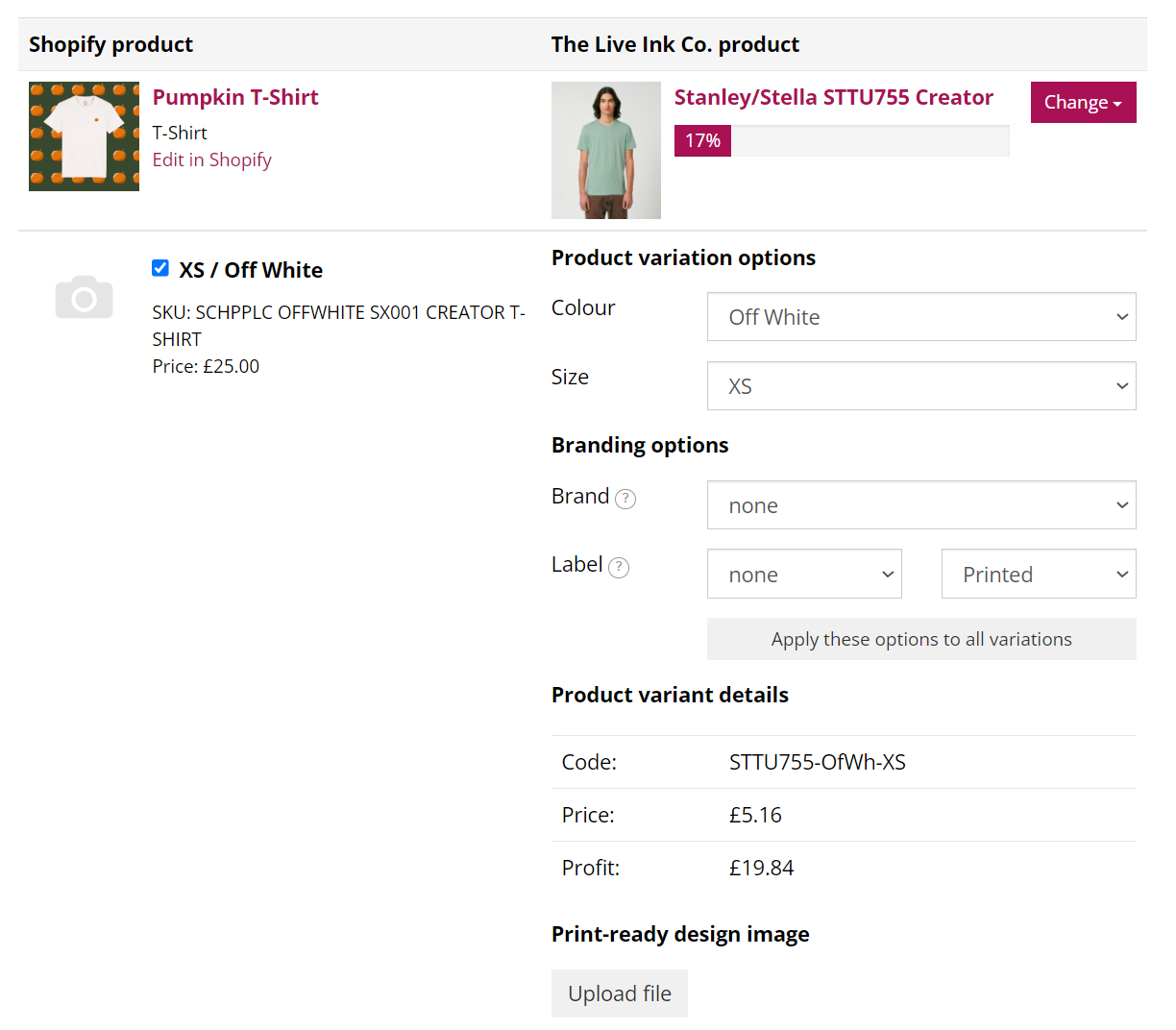
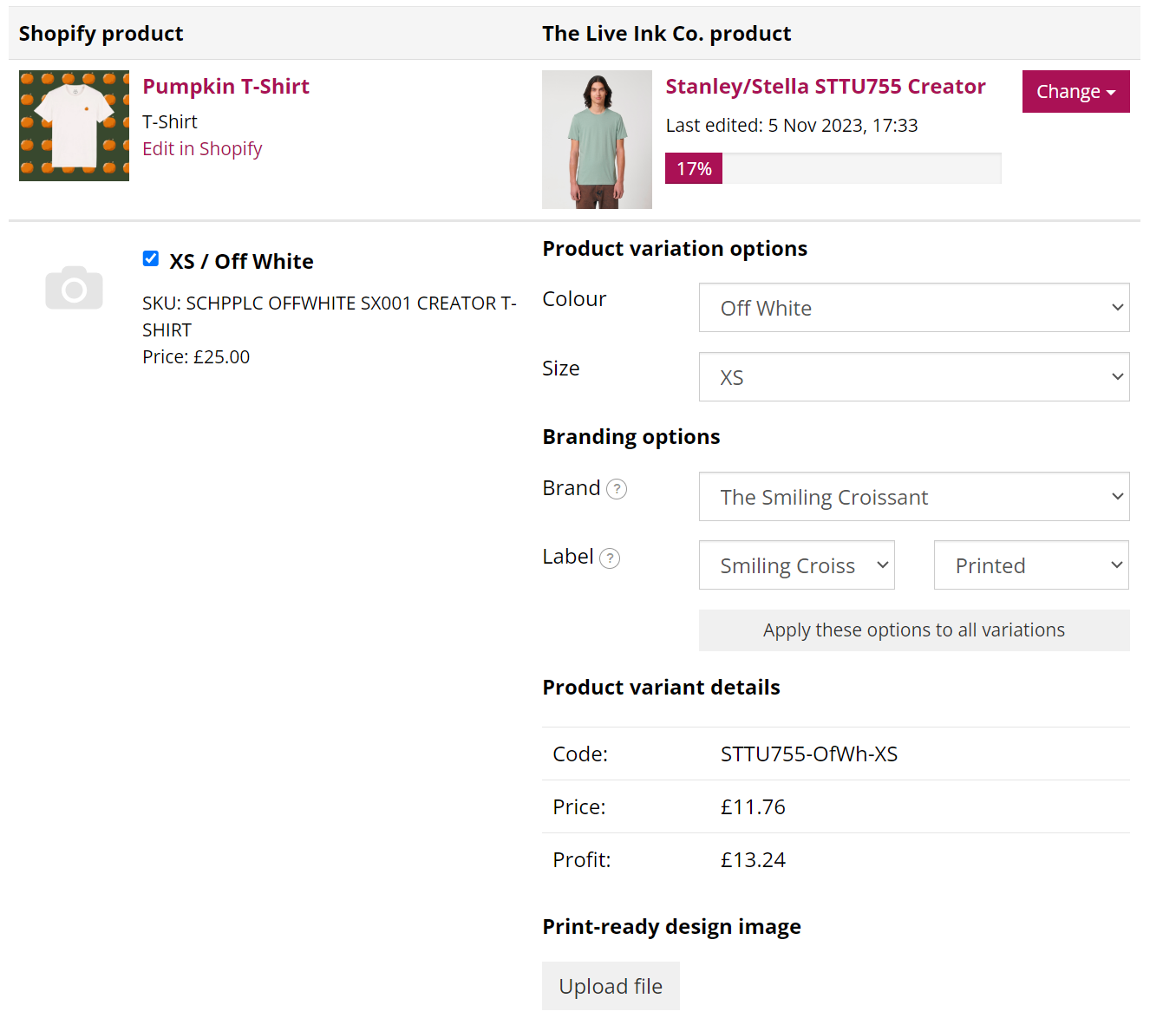
Select Your Brand: In the "Brand" dropdown, select the brand profile you just edited.
-
Select Your Label: In the "Label" dropdown, choose the specific artwork for that item.
-
Check Variants: If you have multiple colors, ensure you select the "Light" label for white shirts and the "Dark" label for black/navy shirts.
-
Save: Click the Save button. The production cost will automatically update (adding £1.50 + VAT per item).
Key Rules to Remember:
-
Suitability: Not all items allow neck labels (e.g., children’s/baby items or specialized garments like hoodies with thick seams). If the "Label" dropdown doesn't appear, the item is likely not compatible.
-
Labels & Sizes: If your label design includes a specific size (e.g., "Large"), you must create individual labels for every size and match them accurately to each variant. Most brands use a "One-size-fits-all" logo to save time.
-
Legal Info: When Live Ink prints your label, they remove the manufacturer's tear-away tag. However, they leave the small side-seam or neck "pip" that contains mandatory legal info (country of origin and size).